
MongoDB Atlas
MongoDB Atlas is the managed MongoDB service provided by MongoDB Inc. A free account gets 500 MiB of storage permanently, which is more than enough for Twikoo comments.
- Register a MongoDB Atlas account.
- Create a free MongoDB cluster. Pick a region close to your Twikoo backend (Vercel / Netlify / AWS Lambda / VPS) for lower database latency. If you are not sure where your backend runs,
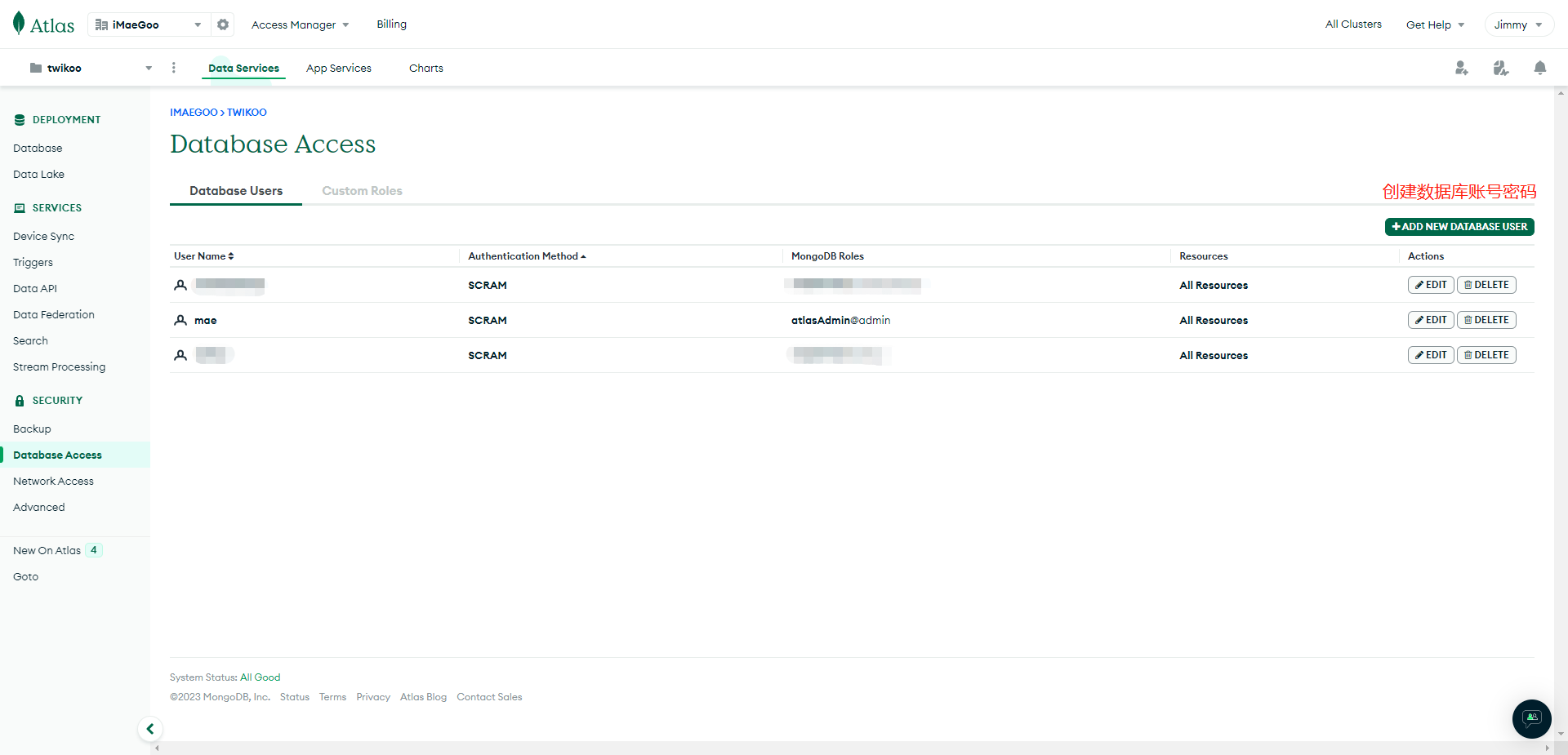
AWS / Oregon (us-west-2)is a reasonable default: mature infrastructure, low failure rate and clean energy. - On the Database Access page, click Add New Database User, choose Password as the authentication method, then set a username and password. Clicking Auto Generate gives you a strong password without special characters — save it somewhere safe. Under Database User Privileges, click Add Built In Role, select Atlas Admin, then click Add User.
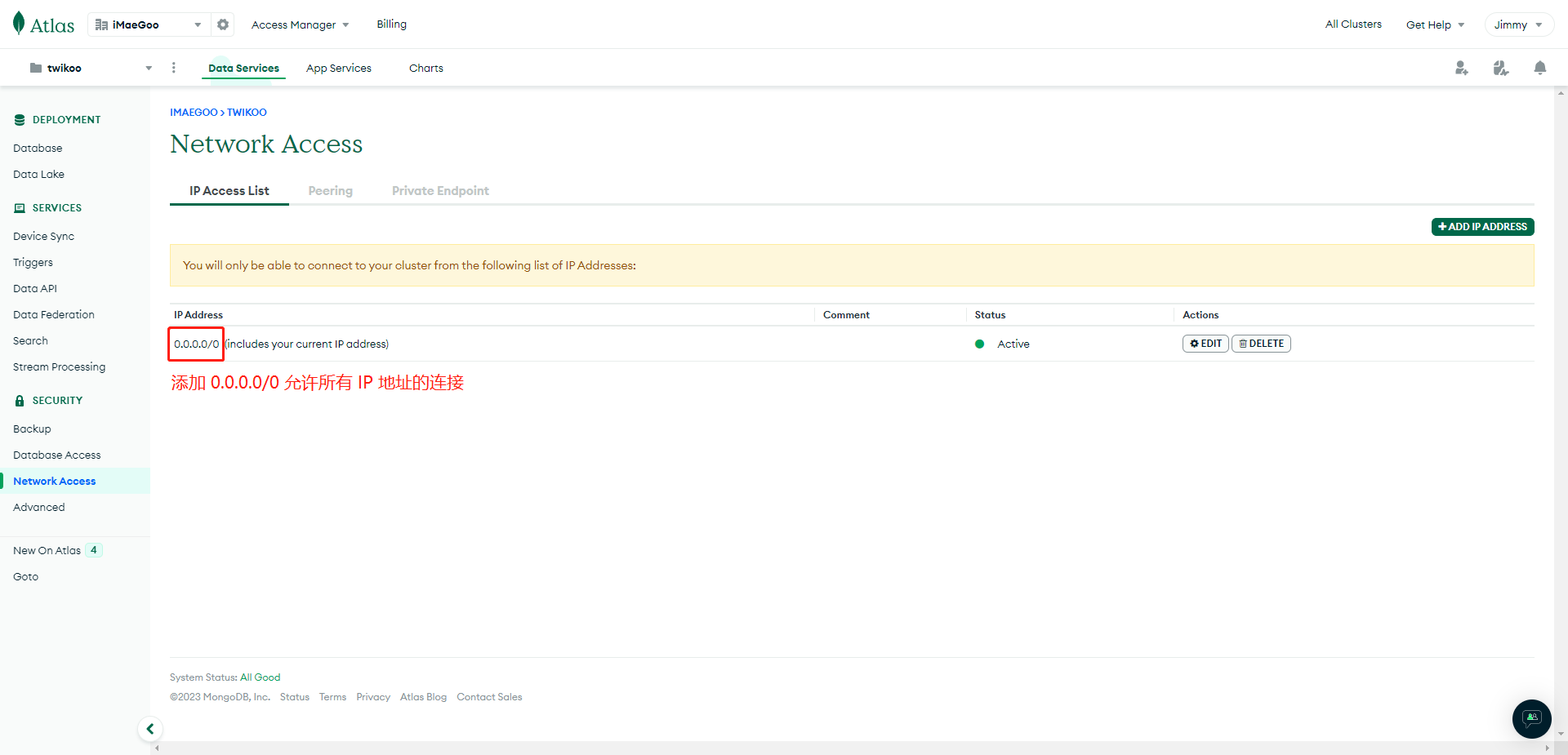
- On the Network Access page, click Add IP Address to add a network whitelist entry. Because the egress addresses of Vercel / Netlify / Lambda are not fixed, enter
0.0.0.0/0(allow connections from any IP). If Twikoo is deployed on your own server, you can enter a fixed IP instead. Click Confirm to save.
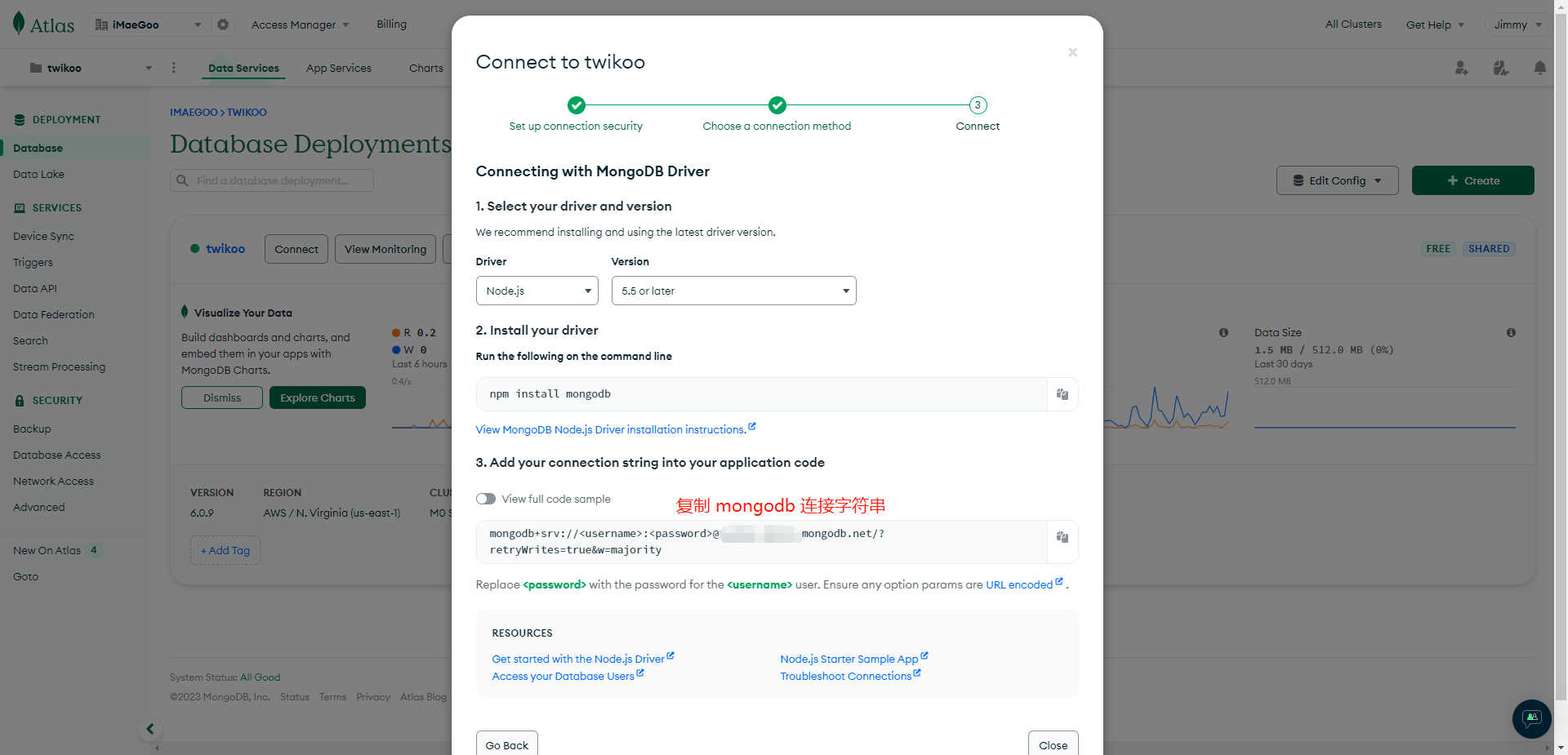
- On the Database page, click Connect, choose Drivers, and note the connection string. Replace
<username>:<password>in the string with the database user you just created.
- (Optional) The default connection string does not specify a database name, so Twikoo connects to the default database named
test. If you need to run other services in the same MongoDB instance, or share it between several Twikoo instances, append the database name and configure the corresponding ACL.
WARNING
The connection string contains everything needed to access your MongoDB database. If it leaks, anyone can add, modify or delete comments, and may also obtain your SMTP credentials, image-hosting tokens and other secrets. Keep this string safe — you will need to paste it into your Twikoo deployment platform.